
Astro development: fast websites you own, built with AI and led by people
Astro has replaced Webflow for our marketing websites. It gives you a site that loads fast, code you actually own and hosting you pay for in rand. AI helps us build it, but people design it, make the calls and review every change before it goes live.
Discuss an Astro build
Why Astro replaced Webflow for us
Webflow was a good tool for designers who didn’t want to write code. That stopped being our problem. We write code, and AI now writes a lot of it with us, so a closed visual builder had become the slowest and most expensive part of our process. Four things decided it.
Cost
- On Webflow
- Per-site and per-seat plans billed in US dollars, rising with the exchange rate.
- On Astro
- Static hosting for very little, paid in rand. You pay for work, not for permission.
Ownership
- On Webflow
- The site lives on Webflow. The export leaves the CMS, forms and e-commerce behind.
- On Astro
- A Git repository that belongs to you and runs on any host.
Content limits
- On Webflow
- Plan ceilings on items, collections and fields, and workarounds for any real logic.
- On Astro
- Typed content with no platform ceiling, checked every time the site builds.
AI workflow
- On Webflow
- A visual canvas with no diffs to review, no tests to run and no clean rollback.
- On Astro
- Plain code AI can build, test and refactor, with every change reviewed by us.
We wrote up the whole decision, including what we gave up, in why we replaced Webflow with Astro.
AI-assisted, human-led
This is the part people ask about most, so here’s exactly how it works. People own every decision. AI does the production work. Nothing reaches your visitors until one of our developers has read it.
- Our team
01 We decide
Strategy, structure, the content model and design in Figma. AI doesn’t decide what a page is for.
- AI
02 AI builds
Claude Code writes components, wires up content and writes browser tests, often catching things we hadn’t asked about.
- Our team
03 We review
Every change is a Git commit. We read the diff, run the tests and check the page in a real browser.
- Live
04 It ships
Deployed to your hosting, with the full history in your repository and one-click rollback.
Not right? It goes back with our notes and comes round again. Nothing skips the review.
If we can’t explain a line of code, it doesn’t ship. Speed that leaves you with a codebase nobody understands isn’t speed. It’s debt.
The result is weeks of traditional work done in far less time. Nero Studio is the clearest example: a 24-page product catalogue PDF turned into a tested, animated Astro site in a few hours. Here’s how we built it.
What you get with an Astro site
Astro sends plain HTML and adds JavaScript only to the parts of a page that need it. Everything else costs your visitor nothing to run. That’s why the sites are fast, and why speed is the default rather than something we fight a platform for.
- Pages that load fast. Better Core Web Vitals, which help SEO and the landing-page experience your ads are scored on.
- Typed content. A missing field or broken reference fails the build instead of appearing on the live site.
- Modern images by default. Responsive AVIF and WebP, sized for each screen, without a plugin.
- Interactivity where it earns its place. Calculators, filters and configurators as islands, in React or another framework.
- Accessible, motion-aware design. Semantic markup, keyboard support and animation that respects reduced-motion settings.
- Very little to attack. No public admin login, database or plugins to keep patching.
Webflow and Astro side by side
| Webflow | Astro, built by us | |
|---|---|---|
| Running costs | Per-site and per-seat plans in US dollars | Static hosting, billed in rand |
| Ownership | Hosted on Webflow; export loses the CMS, forms and e-commerce | Your Git repository, on any host |
| Content | Plan limits on items, collections and fields | Typed collections, no platform ceiling |
| Custom logic | Embed code and third-party automations | Proper components, reviewed and tested |
| Performance | Good, within the platform’s runtime | HTML first, JavaScript only for islands |
| Editing | Webflow’s own editor | Git-based CMS, headless CMS or headless WordPress |
| AI in the build | Limited to the platform’s own features | Builds, tests and refactors in Git, reviewed by people |
| Leaving | Means rebuilding | Clone the repository and carry on |
How your team edits content
Not every client needs to edit their own site. Where you do, we choose the editing setup to fit your team, and design it so editors can change content without being able to break the layout.
- Our preference
Git-based CMS
A friendly editor where every save becomes a commit. Version history, previews and one-click rollback, with content kept alongside the code.
Headless CMS
A hosted editor with structured content or visual page blocks, for larger content teams.
Headless WordPress
Keep the editor your team already knows. Our pipeline publishes it as a static Astro site with no public WordPress to attack.
Tools- WordPress
Managed changes
Send us the change and we’ll make it. With AI in the workflow, small updates are quick and inexpensive.
Built this way: Nero Studio
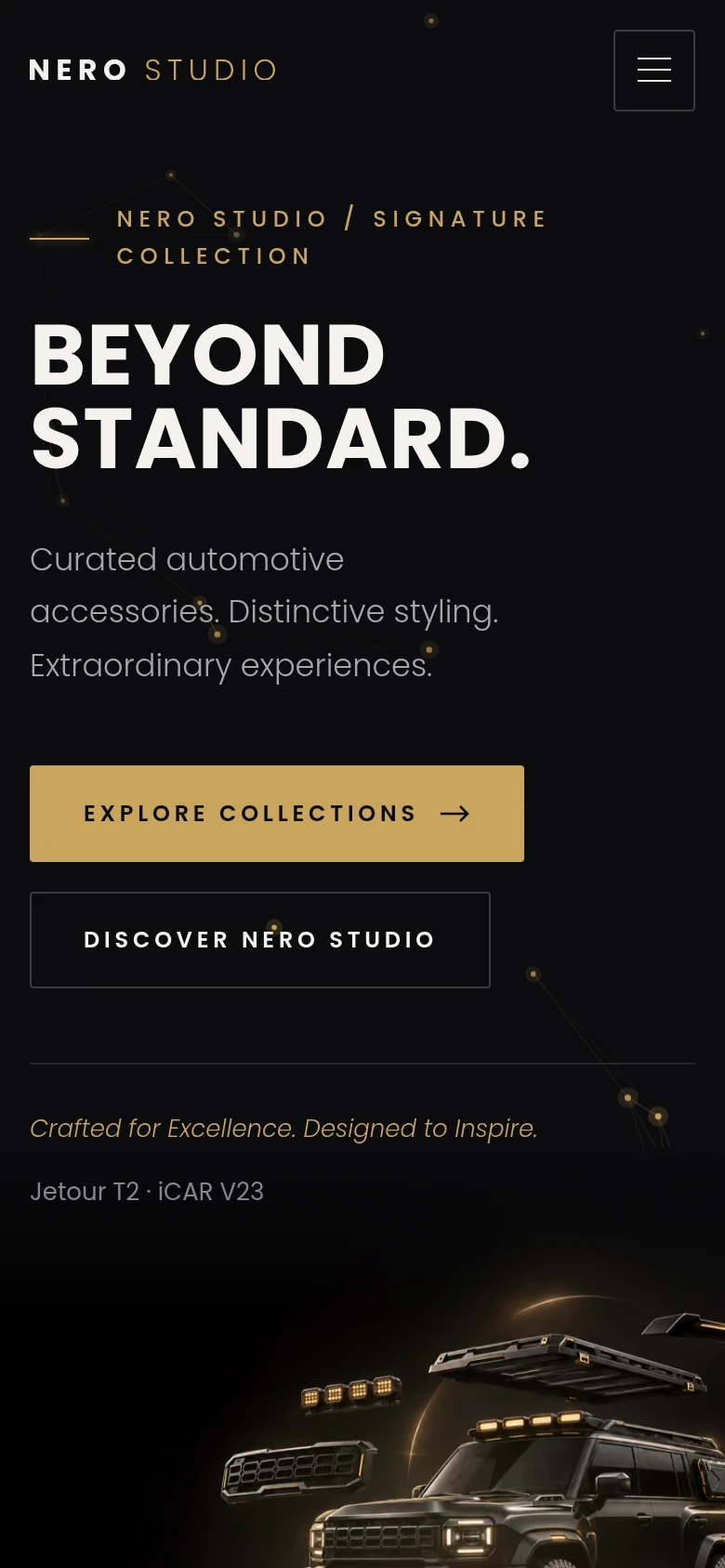
A premium automotive accessories brand with a 24-page catalogue PDF and no website. In a few hours we turned it into a tested, animated Astro site: a typed product data layer, a filterable catalogue, an enquiry flow that pre-fills the product and responsive AVIF and WebP images, with motion that switches off for visitors who prefer reduced motion. ChatGPT handled positioning and imagery, Claude Code handled the build and testing, and we made the calls.

 Built with Astro
Astro, WordPress or Laravel?
We build with all three, and the choice usually becomes clear once we know what the site has to do. They also combine: an Astro marketing site can sit in front of a Laravel portal, or publish content from WordPress.
- This page
Astro
Marketing sites where speed, SEO and ownership matter most.
Best for- Brand sites
- Landing pages
- Catalogues
WordPress
Teams that publish a lot and want the editor everyone already knows.
Best for- Blogs and news
- WooCommerce
Laravel
Anything that processes rather than publishes.
Best for- Portals
- Workflows
- Integrations
Moving off Webflow
If the dollar bill, the plan limits or the lock-in are bothering you, we’ll move you. You end up with the same site, faster, in a repository you own.
- Audit every page, collection, form, interaction, integration and ranking URL.
- Rebuild the design faithfully in Astro, or improve it if you want to.
- Move your CMS collections into typed content, checked so nothing goes missing.
- Keep your URLs or redirect them one to one, with SEO metadata and structured data carried over.
- Carry over analytics and conversion tracking.
- Set up the editing workflow that suits your team, and train them on it.
How an Astro project runs
- Discovery. Goals, audiences, pages and what your team needs to edit.
- Content model. We decide what each page and collection contains before anything is designed.
- Design. Figma designs for the key templates and screen sizes.
- AI-assisted build. Components, content and integrations, built in Git and reviewed as we go.
- Testing. Browser tests, accessibility and performance checks on real devices.
- Launch and support. Hosting, analytics, redirects, editor training and a 24-hour response time.
What a good handover includes
- The website, live and tested against the agreed pages and features.
- The repository on GitHub, with access as agreed.
- Your editing setup, configured, with a short guide for your team.
- Documentation for hosting, builds, forms and integrations.
- Hosting and support, with updates, monitoring and a 24-hour response time.
- No lock-in. Open-source tools and a repository any competent developer can pick up.
Estimate an Astro website
We price by pages, templates and features. For a first view of budget and scope, try our website estimator. For ongoing hosting and support, see the hosting and care estimator.
Astro questions
A few useful answers before you decide.
Why Astro instead of Webflow?
If AI helps build it, who is responsible for the code?
Can my marketing team still edit the site?
Can you move our existing Webflow site to Astro?
Is Astro only for static sites?
Will we be locked in to you?
Keep the right things connected.

Why We Replaced Webflow with Astro
A technical and commercial account of why we stopped building marketing sites on Webflow, what Astro does differently and what the move means for the marketing teams who use the sites.

ChatGPT as Creative Director, Claude as Build Team: A Website in Hours
How we took an automotive accessories brand from a catalogue PDF to a tested, animated Astro website in a few hours, and why we still understand every line of the code.
WordPress development done the way developers would do it
Custom WordPress themes on Understrap and Bootstrap with Advanced Custom Fields, WooCommerce extensions and headless WordPress for high-performance sites.
Website pricing calculator
Design level, pages, features, hosting and care, priced line by line.
Start a conversation
Tell us what you are working towards. We’ll help you find a practical next step.